Integrations

Cursor

Share your team's Coding Best Practices with Cursor.

Setup

  1. 1.Get an API key from your Credos account
  2. 2.Add a new remote MCP connection to your project-root/.cursor/mcp.json
    {
      "mcpServers": {
        "Credos": {
          "url": "https://mcp.credos.dev",
          "headers": {
            "Authorization": "Bearer ${env:CREDOS_MCP_API_KEY}",
            "Accept": "application/json, text/event-stream"
          }
        }
      }
    }

    .cursor/mcp.json

  3. 3.Enable Credos MCP server from Cursor settings
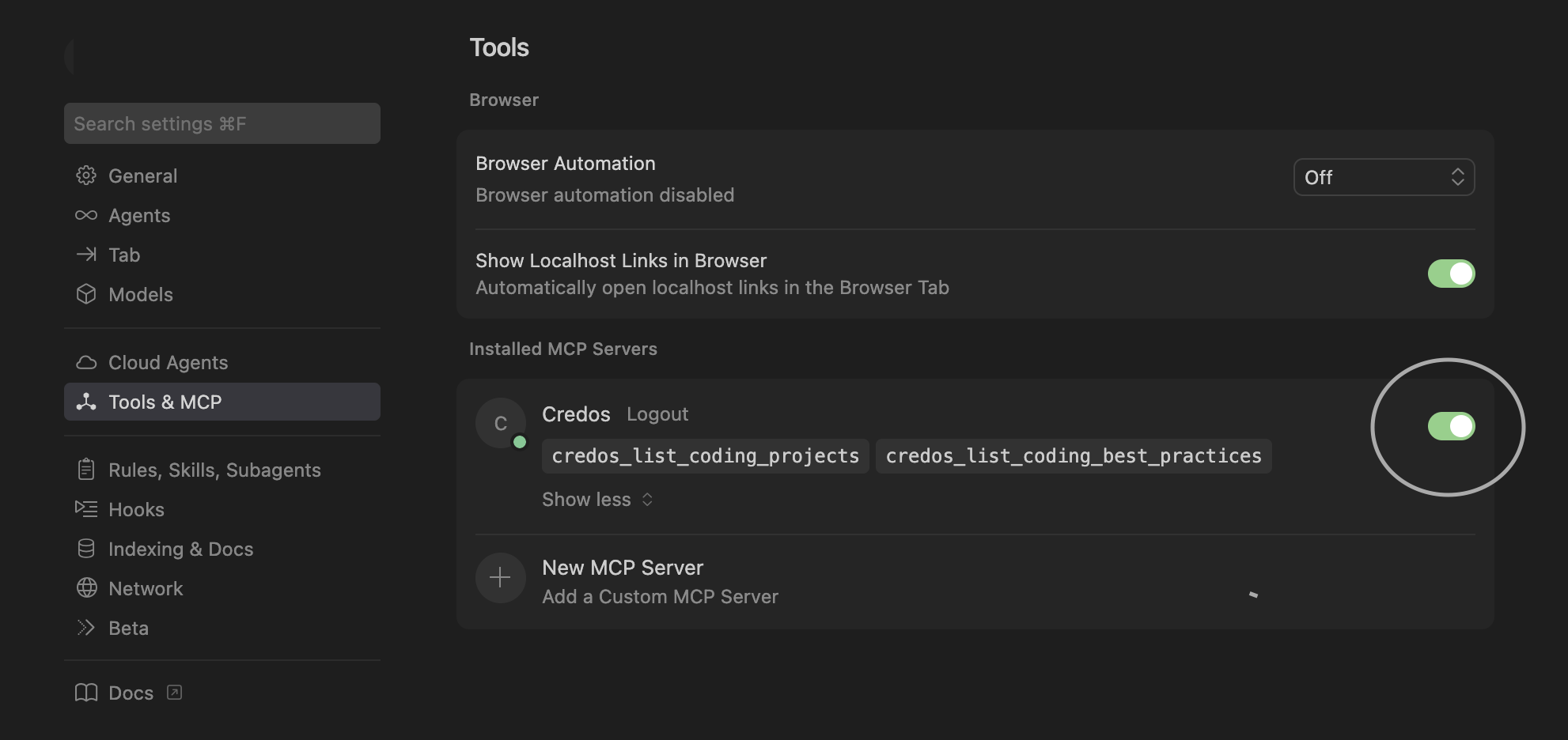
    Cursor MCP server example
  4. 4.Tell Cursor to follow your team's Coding Best Practices via a new rule

    .cursor/rules/best-practices.mdc

© 2026 Credos